In today's digital-first offices and classrooms, the ability to quickly and reliably connect phones, tablets, and computers to interactive displays is key for boosting productivity and teamwork. Now, a range of wireless screen projection methods are becoming part of everyday work and life, offering a more flexible and liberated way to share screens. Here is the wireless screen projection guide from Cuhub Smart Touch.
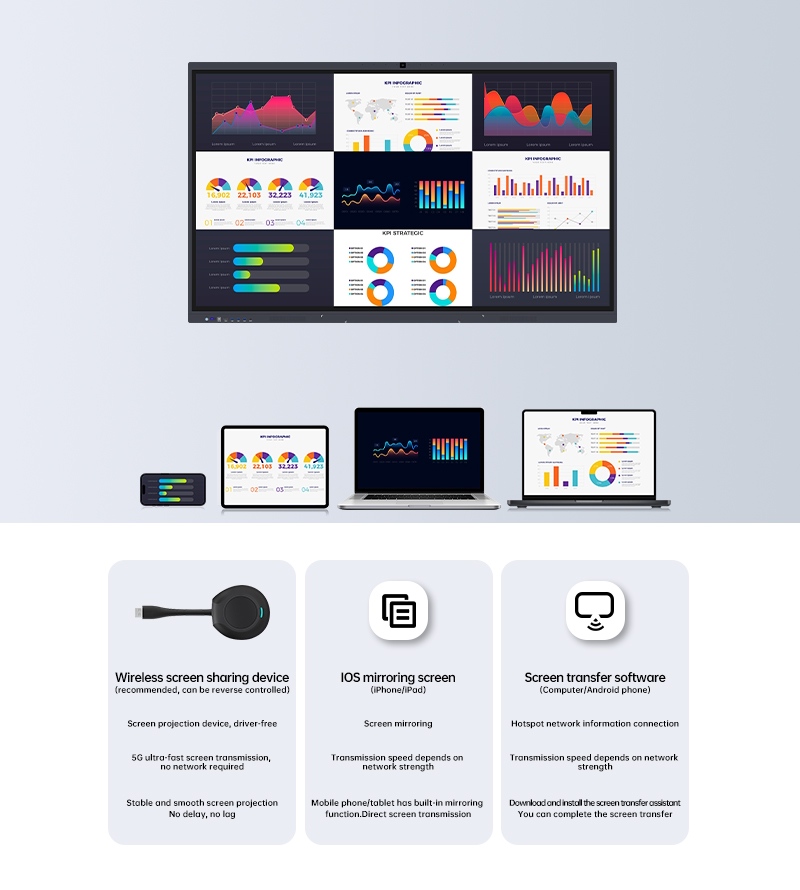
Screen mirroring is especially convenient for iPhone and iPad users. Apple's built-in "Screen Mirroring" feature allows users to easily activate it with a single click, ensuring both the device and interactive display are connected to the same Wi-Fi network for real-time synchronized display. Whether it's presentations, video playback, or application operation, all content is presented clearly and smoothly on the big screen, truly achieving "what you see is what you get."
For Windows, Mac computers, and Android phone users, wireless screen projection can usually be achieved by downloading dedicated screen sharing software. After installation, the device screen can be projected onto a larger screen via a hot spot or local area network connection. Although transmission speed is affected by network signal strength, with the widespread application of 5G technology and software optimization, latency has been significantly reduced, and image stability has been greatly improved, sufficient to meet the needs of most office work, teaching, and entertainment.
Wireless screen devices are fast becoming the top choice for users looking for an efficient and stable wireless screen projection experience, thanks to their major advantages of plug-and-play simplicity and broad cross-platform support. These gadgets usually require no driver installation, offering true out-of-the-box usability that makes setup quick and easy. They deliver fast, reliable image transmission for smooth, responsive projection with virtually no lag. Additionally, most wireless screen devices let you control your connected computer right from the big screen. With wide-ranging compatibility, they seamlessly connect iOS and Android mobile devices to Windows and mac OS computers, creating a convenient bridge across platforms. This makes them an essential connectivity hub for modern meetings, classrooms, and collaborative workspaces.
With the continuous development of wireless communication technology, wireless screen projection is evolving towards greater intelligence and integration. In the future, we may see more screen projection solutions integrating AI sensing, cross-system interoperability, and cloud synchronization, further breaking down device barriers and driving comprehensive intelligence in scenarios such as meetings, education, and home entertainment.
Regardless of the device you use, whether you are in a meeting room, classroom, or living room, simply choosing the appropriate projection method allows for seamless connection between large and small screens. This change not only makes information sharing more efficient but also subtly propels us into a digital age where device connectivity is smoother and collaboration is easier.